
Guide for professionals
File service
How to use the file service
From your original file to the modified file in less than 30 minutes. We explain the whole process in 6 easy steps.
In EcuTracer We've designed a file system specifically for chiptuning professionals. Our goal is to allow you to manage your reprogramming orders quickly, easily, and without complications. This guide walks you through the process step by step, from registration to downloading your modified file.
Register on the platform
To access the file service, the first thing you need to do is create your professional account:
- Access ecutracer.com/login-registration.
- Click on «"Register"» and complete the form with your information: name, email address, company and country.
- You can also quickly register with your account. Google.
- Our team will verify your account within a maximum of 24 hours. You will receive an email and WhatsApp notification when it is active.
- Once verified, log in to access your user panel.
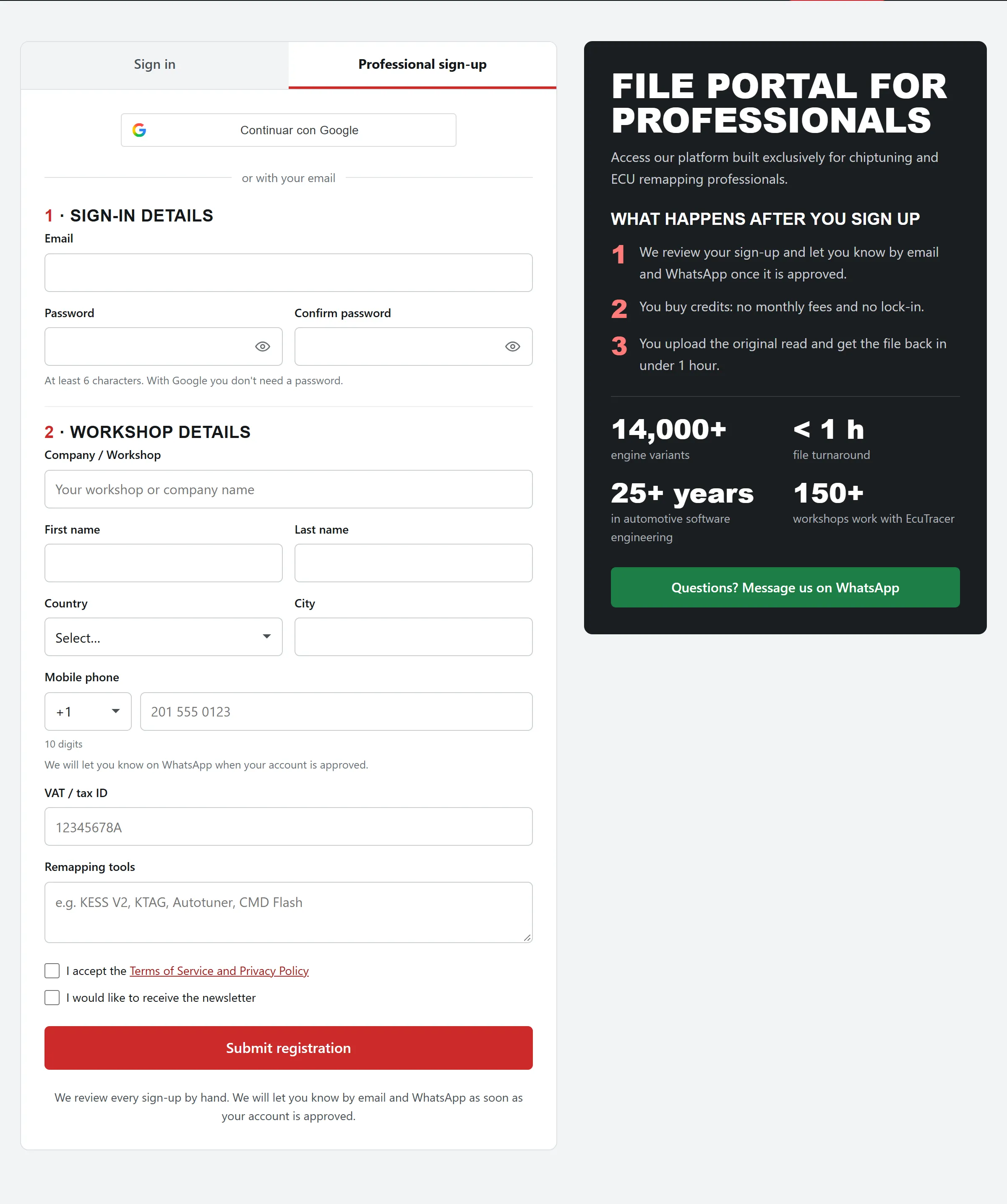
⚠️ Important: Registration is exclusively for workshops and professionals in the sector. The form must be completed with accurate information. Applications that do not meet this requirement will be rejected.
Purchase of credits
EcuTracer works with a prepaid credit system. Before placing any file order, you need to purchase credits:
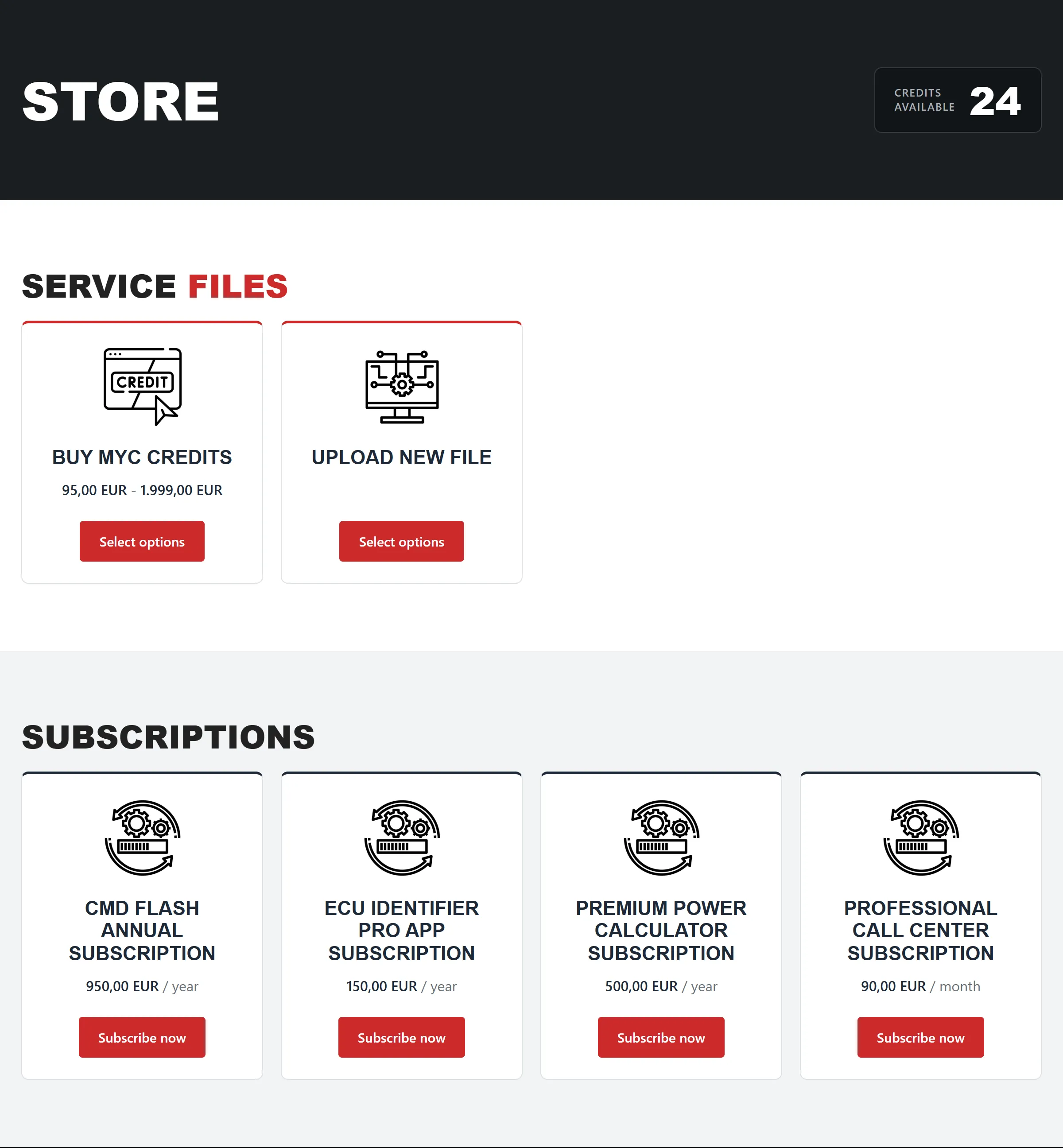
- From your user panel, access the section «"Store"» in the main menu.
- Select the credit pack that best suits your workload.
- Complete your payment securely. Credits will be added to your account instantly.
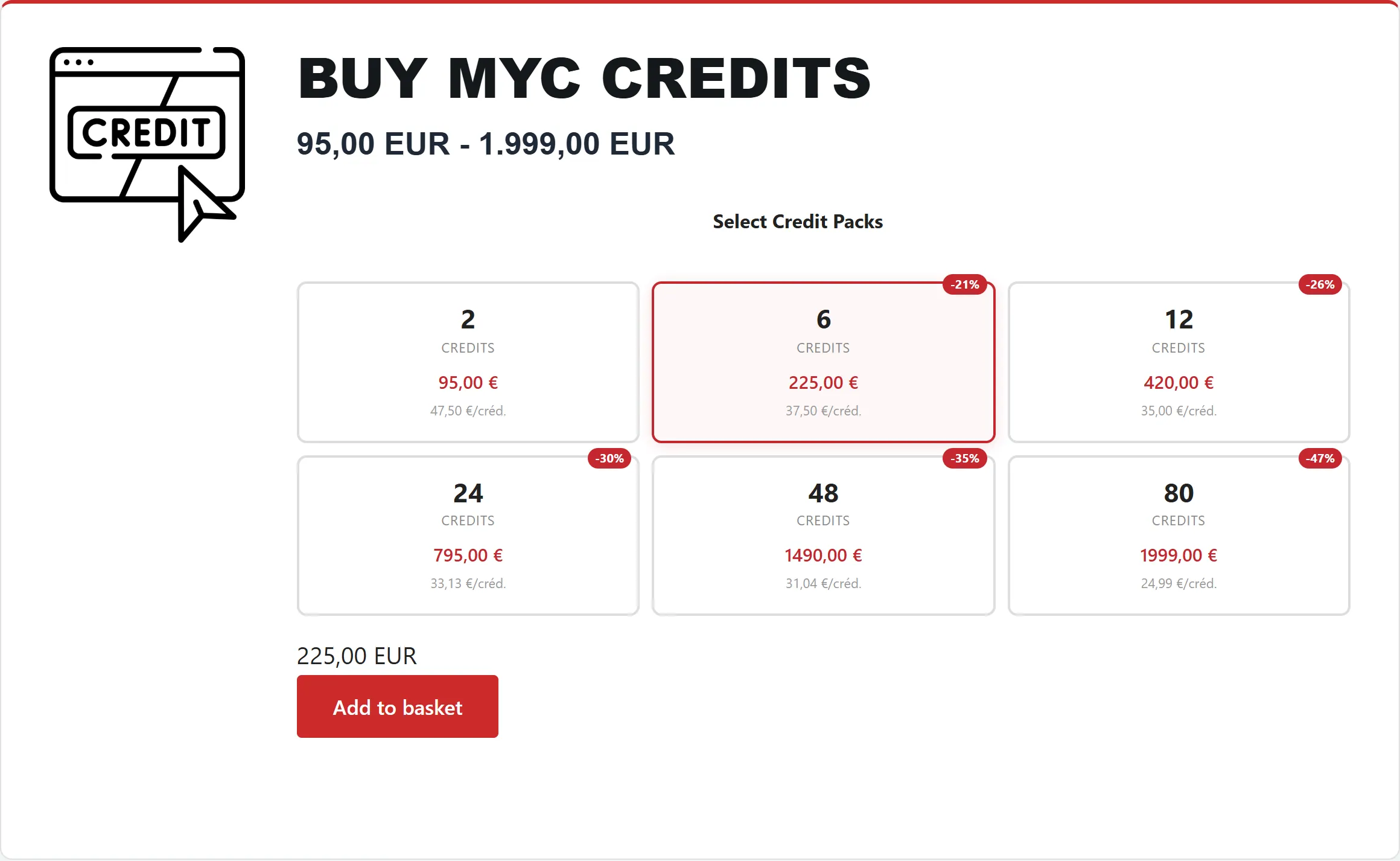
💡 Save: The more credits you purchase in a single pack, The lower the cost per credit, the better.. It's the most economical way to work if you have a constant flow of reprogramming requests.
Sending the original file
With the credits in your account, you can now place your first order:
- On your dashboard, click on “Upload new file”.
- Fill in the vehicle information: make, model, engine and year.
- Select the type of modification you need: Stage 1, Stage 2, DPF, EGR, AdBlue, DTC, among other available options.
- Upload the original ECU file in the format .bin, .ori or other compatible formats.
- If you have any additional relevant information (software number, reading tool used, special notes), please indicate it in the comments field.
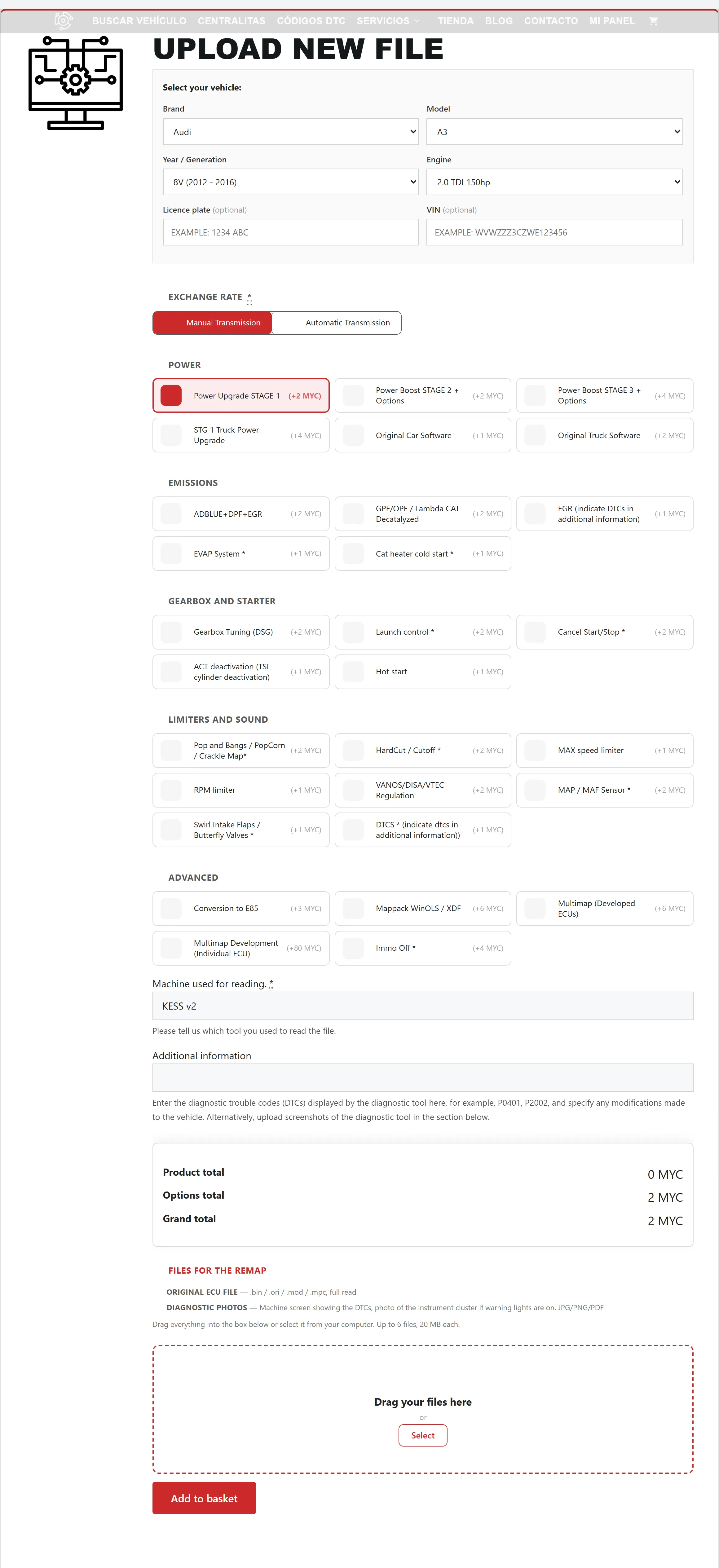
💡 Tip: The more information you provide about the vehicle and the reading tool, the faster and more accurate the modification process will be.
Delivery time
Once your order has been submitted, our team of engineers will begin working on modifying the file:
In cases of complex modifications or high demand, the time may vary slightly.
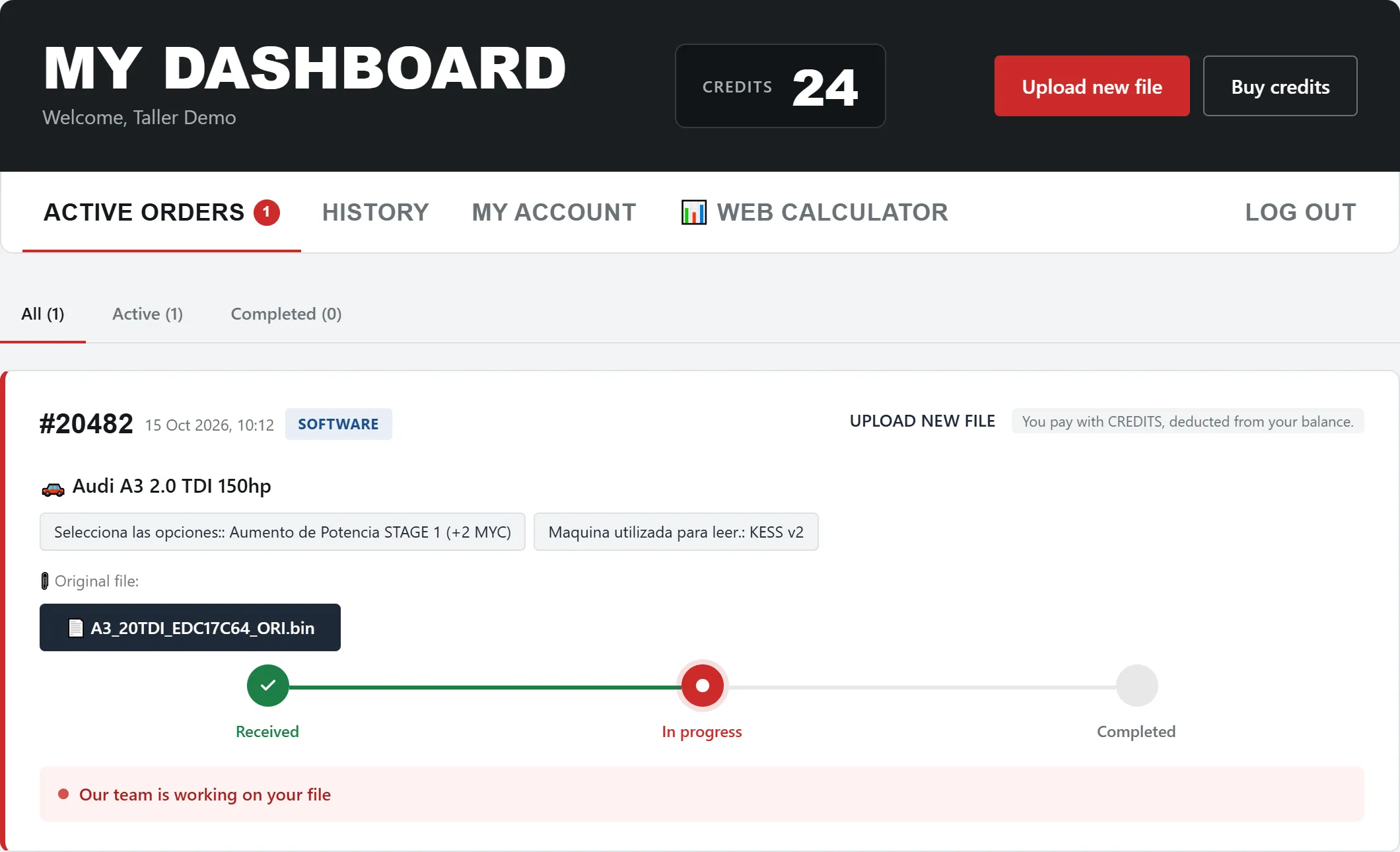
Download the modified file
When your file is ready, we will notify you in two ways:
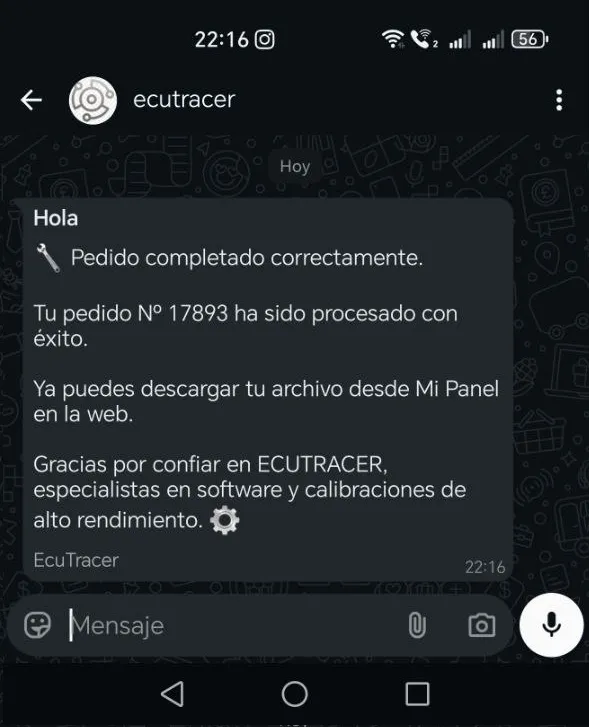
Enter My Dashboard, Download the file, load it into the vehicle's control unit using your usual tool, and you're done.
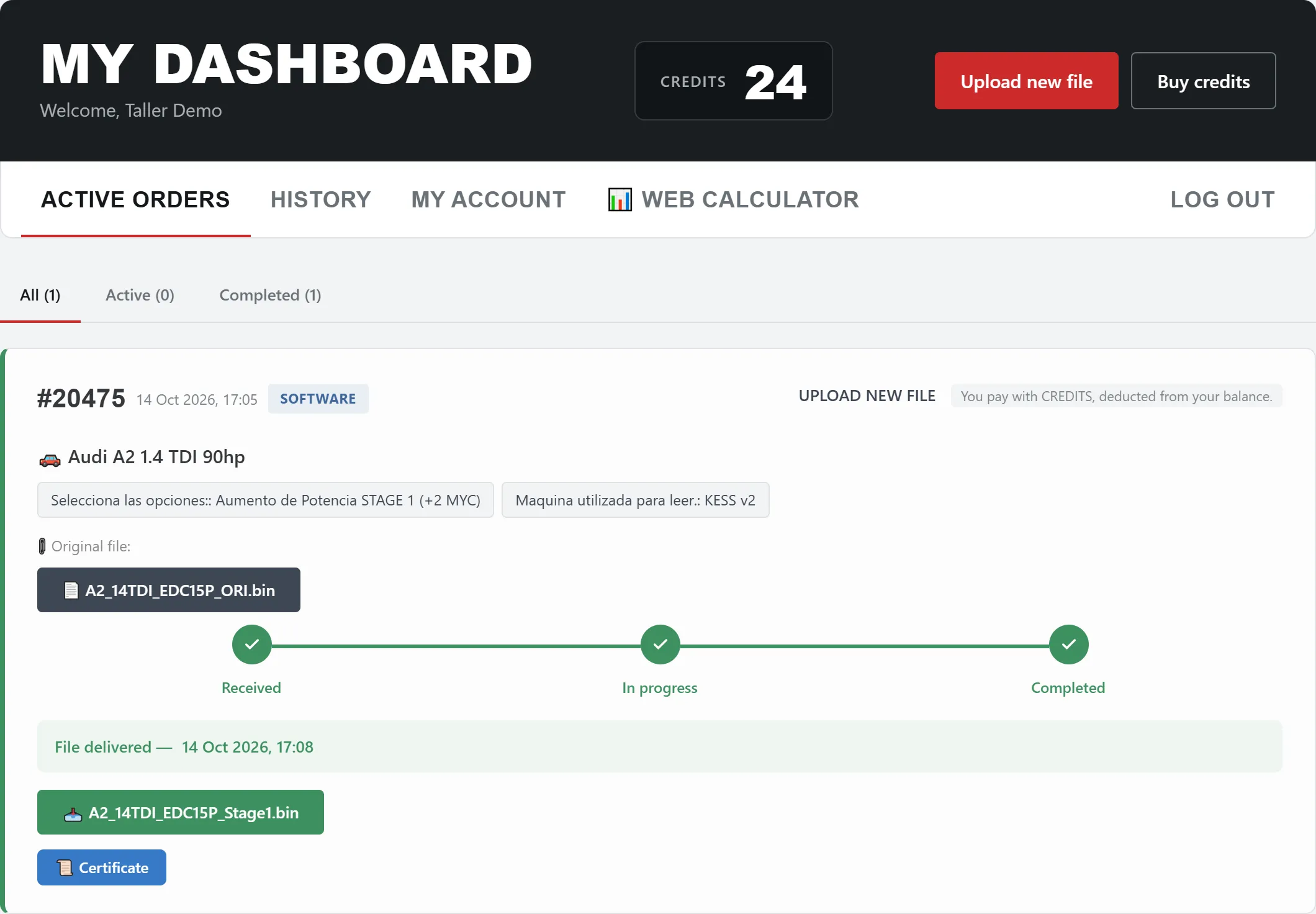
🏅 Certificate included: All our work includes a digital certificate with a verifiable QR code, which certifies the reprogramming performed on the vehicle.
Technical support
Do you have any questions or need assistance with a file?
- Answer directly to the email where you received the downloadable file.
- Write to us by WhatsApp to the +34 611 539 839 for faster service.
- Our technical team is available at working hours to resolve any issues.
✅ Tips for getting the most out of the service
Ready to begin?
With EcuTracer, managing your ECU remaps is faster and more professional than ever. A file service designed by and for chiptuning professionals.
