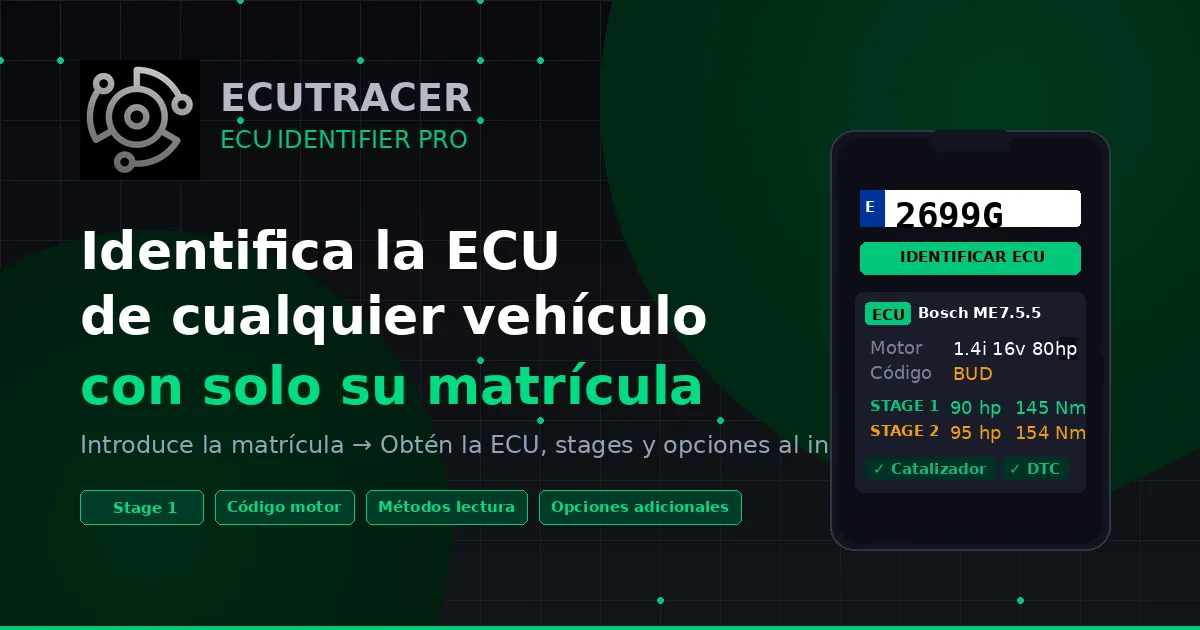
⚠️ Currently only available for Spanish registrations
ECU Identifier Pro queries the DGT API to obtain the vehicle's technical data. That's why Currently, it can only identify vehicles registered in Spain..
Do you work in another country and are you interested in this tool? Contact us at [email protected] or by WhatsApp — We've expanded the software to work with license plates from your country..
The ultimate tool for chiptuning and ECU reprogramming professionals
At EcuTracer, we know that the first step before any reprogramming work is to correctly identify the vehicle's ECU. Until now, this required manually searching databases, consulting technical specifications, or even disassembling parts to read part numbers.
Today we present ECU Identifier Pro, Our new, exclusive tool that allows you to identify the engine ECU of any Spanish vehicle by simply entering your registration number. No complications, no wasted time. In seconds you'll have all the information you need.
What is ECU Identifier Pro?
ECU Identifier Pro is a progressive web application (PWA) designed specifically for automotive professionals: chiptuning workshops, tuners, reprogramming tool distributors, and specialized technicians.
It works directly from your browser, without needing to download anything from app stores. Plus, you can install it on your phone's home screen (Android or iPhone) for instant access, just like a native app.
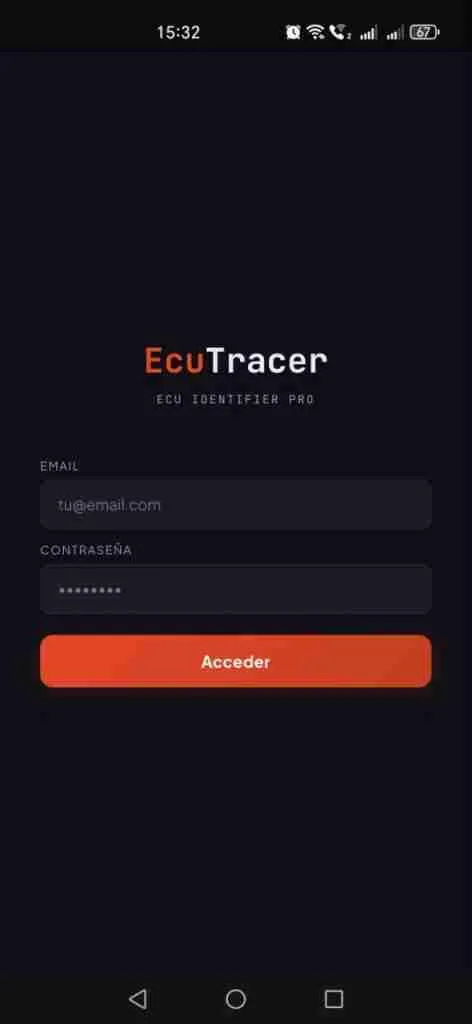
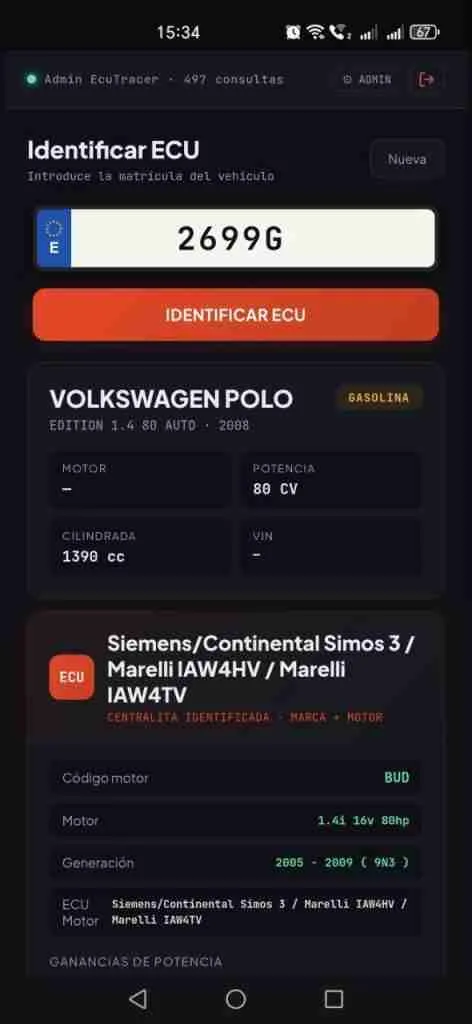
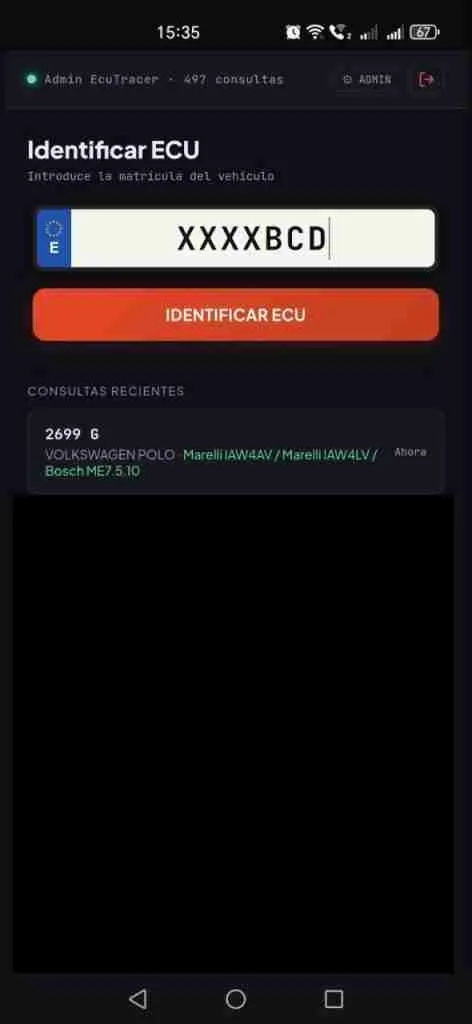
Login screen and license plate search results
How does it work?
The process is extremely simple:
1. Enter the license plate.
Write the Spanish registration The tool automatically queries the DGT (Spanish Directorate General of Traffic) data to obtain the vehicle's make, model, engine type, displacement, power, and year of manufacture.
2. Automatic ECU Identification
Using the vehicle's data, our system cross-references the information with our database of thousands of control units. We use an intelligent algorithm that takes into account the vehicle's make, engine size, fuel type, power output, and generation to find the exact match.
3. Complete results instantly
In a matter of seconds you receive a complete report with:
| engine ECU identified | Exact brand and model of the control unit (e.g. Bosch ME7.5.5, Siemens/Continental Simos, Marelli IAW4HV…) |
| Engine code | The vehicle's engine code (e.g., BUD, CBZA, CJZA…) |
| Generation | The exact model generation with a range of years |
| Possible ECUs | Complete list of all possible control units for that engine. |
| Power gains | Table with original power and torque vs. Stage 1 and Stage 2 |
| Additional options | Catalytic Converter Solution, DTC, FLAPS, EGR, DPF, Pop & Bang, Vmax, Start/Stop… |
| Reading methods | Compatible tools: Alientech KESS3, KESSv2, Autotuner, ByteShooter, CMD CMDFlash… |
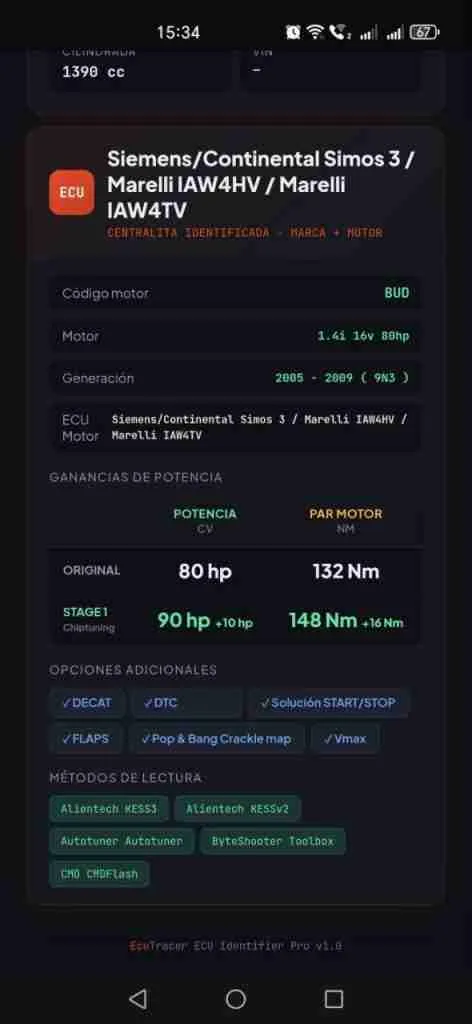
Power gain table, additional options, and reading methods
Advantages for professionals
⚡ Speed: Identify the ECU in less than 5 seconds. No manual searches, no endless tables to consult.
🎯 Accuracy: Our algorithm cross-references make, engine size, fuel type, horsepower, year, and generation to find the exact variant. No more confusion between engines of the same displacement but different horsepower.
📱 Mobile access: It works on any device with a browser. Install it on your mobile phone and always have it handy in the workshop.
💰 Commercial information: Displays available power gains (Stage 1, Stage 2) so you can provide customer quotes on the spot.
🔧 Compatible tools: You will know in advance which reading tool you need (KESS3, KESSv2, Autotuner, etc.) before starting the work.
🛡️ Smart cache: Recent searches are cached for 24 hours. Searching for the same license plate multiple times does not consume additional credits.
How to install the app on your mobile phone
ECU Identifier Pro is a PWA (Progressive Web App), which means you don't need to go to Google Play or the App Store. It installs directly from your browser.
On Android (Chrome)
- Open the tool in Chrome
- A green banner will appear at the bottom with the "Install" button.«
- Click "Install" and confirm in the Chrome dialog box.
- Done! The app will appear on your home screen with the ECU ID icon.
On iPhone (Safari)
- Open the tool in Safari (important: it must be Safari, not Chrome)
- Tap the Share icon (square with an upward arrow)
- Select "Add to home screen"«
- Confirm the name and press "Add"«
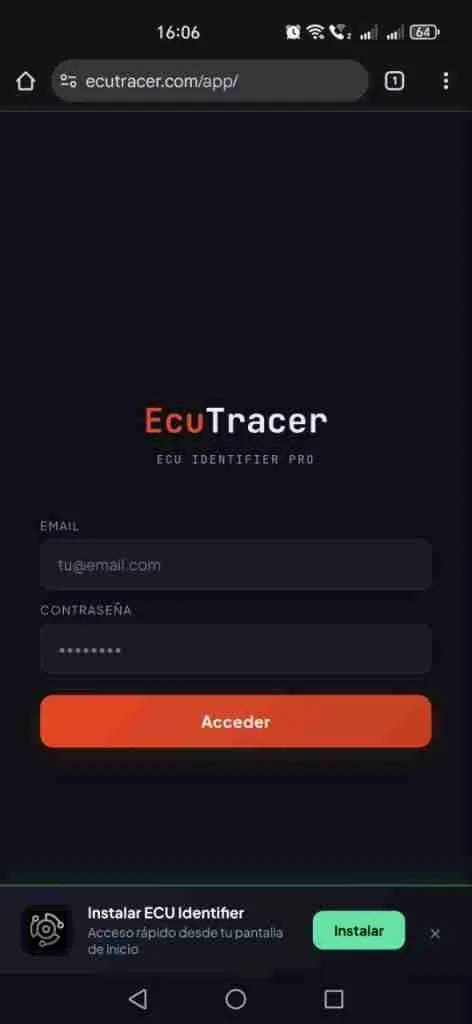
Android Installation Banner
Who can use ECU Identifier Pro?
ECU Identifier Pro is available exclusively for Authorized EcuTracer distributors with an active subscription. If you are a chiptuning workshop, tuner, or reprogramming tool distributor and want access to this tool, contact us to get your account.
The subscription includes:
✅ Unlimited access to the license plate identification tool
✅ Updated database with thousands of ECUs
✅ Stage 1 Earnings Information.
✅ Additional options and reading methods per ECU
✅ Installation as a mobile app (Android and iOS)
✅ Dedicated technical support
Technical data
For the more technically inclined, here are some details about how the system works internally:
Database: More than 30,000 control unit records with information on tuning stages, additional options and reading methods.
Registration API: Consult real-time data from the DGT to obtain the vehicle's technical data from its registration number.
Matching algorithm: Intelligent scoring system that cross-references brand, engine size, fuel type, power output, and generation/year to find the exact variant among all possible engines.
Cache: License plate API queries are cached for 24 hours to optimize costs and speed.
Security: Authentication via token linked to the WooCommerce subscription. Only distributors with an active subscription can access.
Want to try ECU Identifier Pro?
Contact us at [email protected] or visit www.ecutracer.com for more information.